For consulting practices · open source · works with your agent
Every decision, recorded once, delivered everywhere.
YarraMate keeps the architecture you agree with a client as one living record. It asks the questions an architect would, writes your documents from the answers, and tells you when the code has moved away from them.
No account. Nothing leaves your browser. The editor opens on Halcyon Regional Water, a fictional utility replacing its meter fleet.
The record
One record. Every document comes from it.
Drivers, requirements, systems and the relationships between them, held as plain files beside the code. The map is one view of it, and it is live: pan, fold a group, open a subject and read what backs it.
Open the map in the editor ›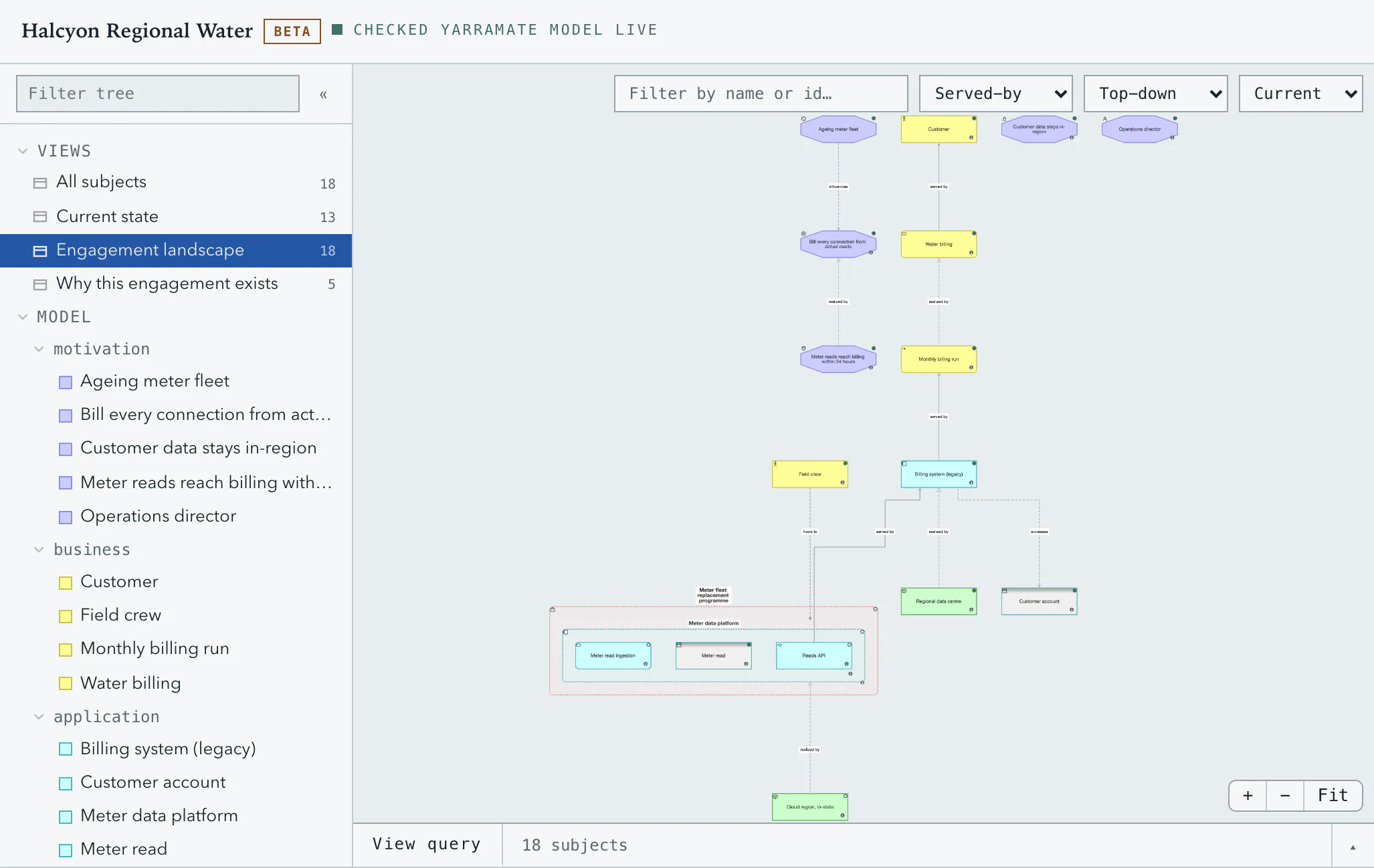
Halcyon Regional Water is fictional.
The interview
Ask the right questions. Keep the answers true.
The tool asks what an architect would ask next, in order, and says why it matters. Whole-model questions first, then the ones each subject raises. Nothing is invented for you; the questions are the ones your practice wrote down.
Take the next question ›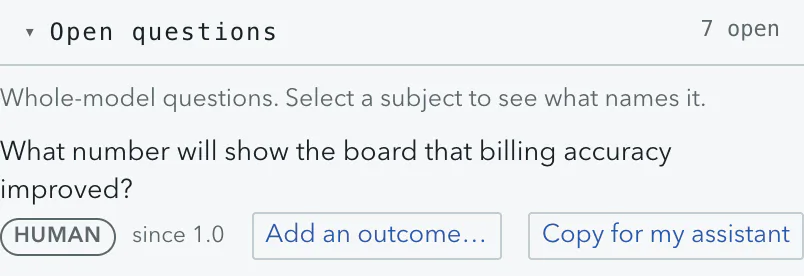
Halcyon Regional Water is fictional.
Answer on the map
Answer on the map. The vocabulary keeps you honest.
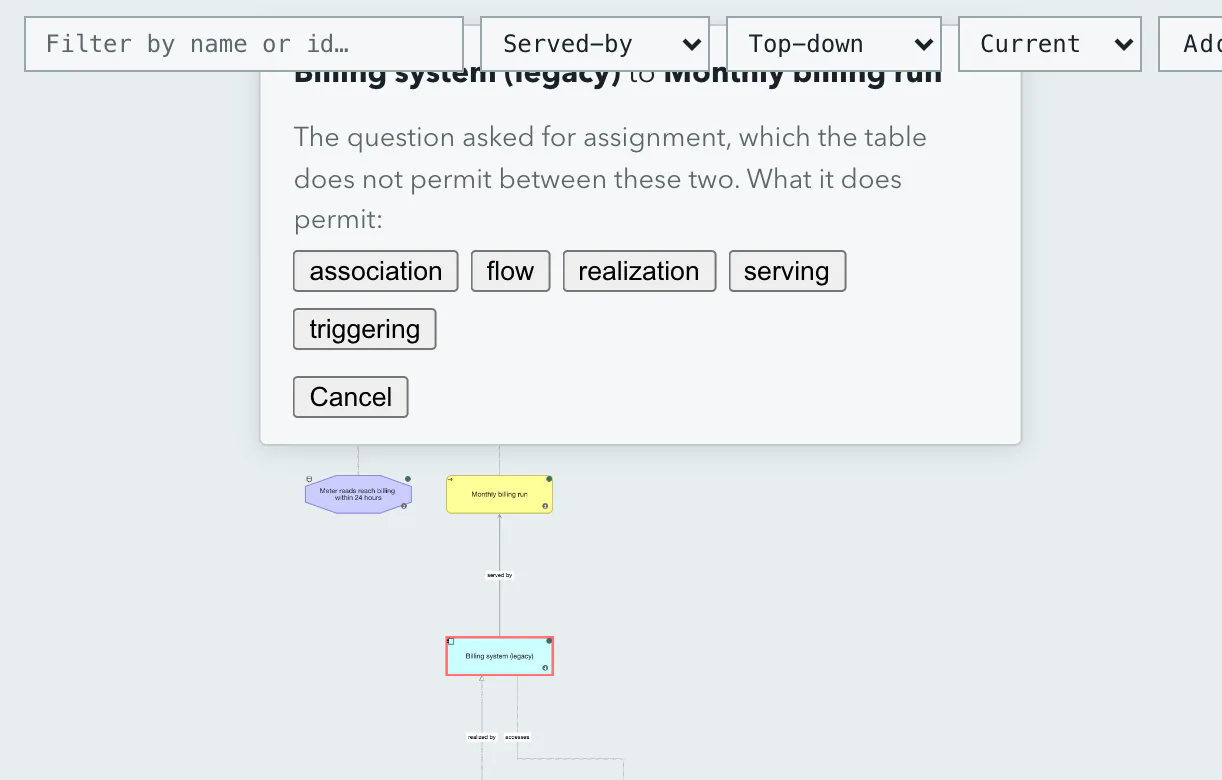
Each question carries the verb that closes it: connect, add, describe. Pick the target on the diagram and the tool offers only the relationships your vocabulary permits between those two kinds. A wrong answer is not possible to draw.
Try it: connect the Billing system ›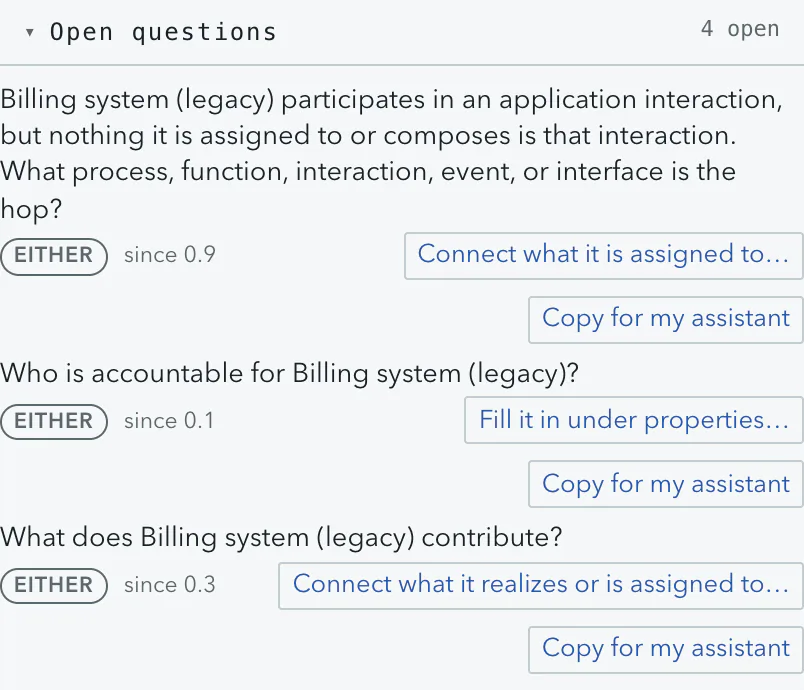
Halcyon Regional Water is fictional.
Or hand it to your agent
Every question has a door to your agent.
Right-click any subject and its open questions are there. Answer on the map, or copy the question as a brief for the agent you already use: it reads the record, proposes the change, and you approve it before it lands.
Right-click any subject ›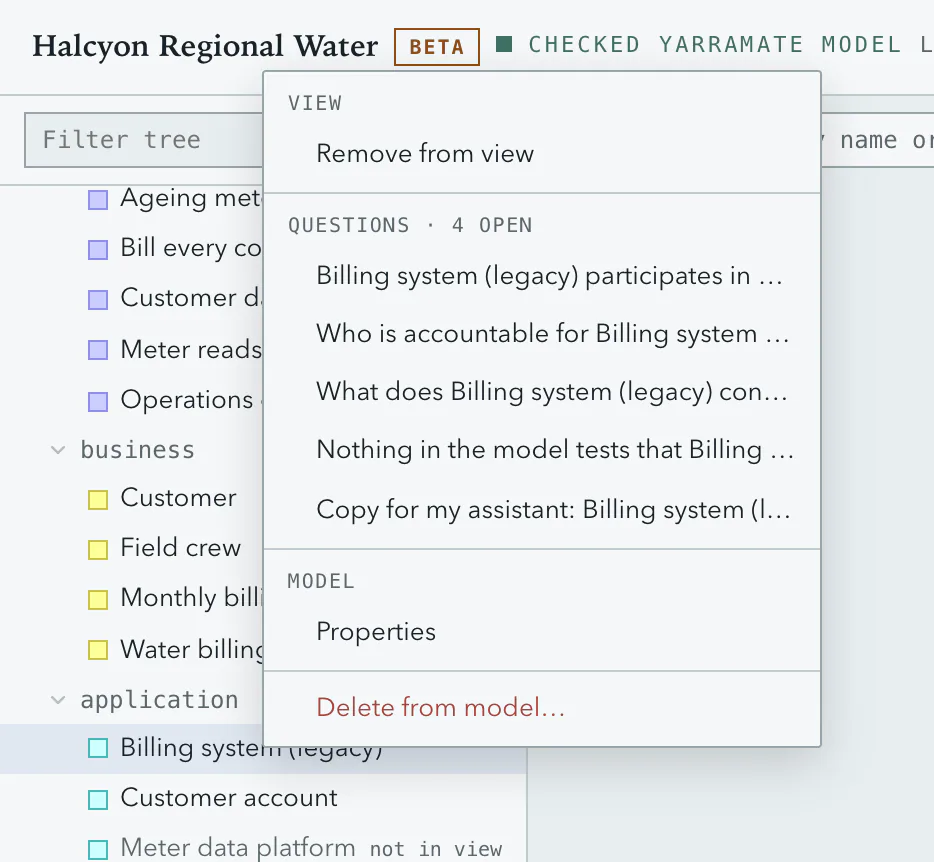
What the agent receives
"Open question on Billing system (legacy, 2009): who is accountable for it? Answer by describing the subject or connecting it to a stakeholder. Record: .yarramate/workspace.yaml. Propose the change; do not apply it."
Works with Claude Code, Codex, Cursor and the desktop apps. In a hosted workspace, with claude.ai and ChatGPT too.
Halcyon Regional Water is fictional.
Prefer the file?
It is plain YAML, and it is the source of truth.
Every subject has a form, and every form is a file. Edit the record as text and the map redraws in under a second; an edit the vocabulary refuses is refused with the line that caused it. Git holds the history, a pull request is the approval.
Edit the record as text ›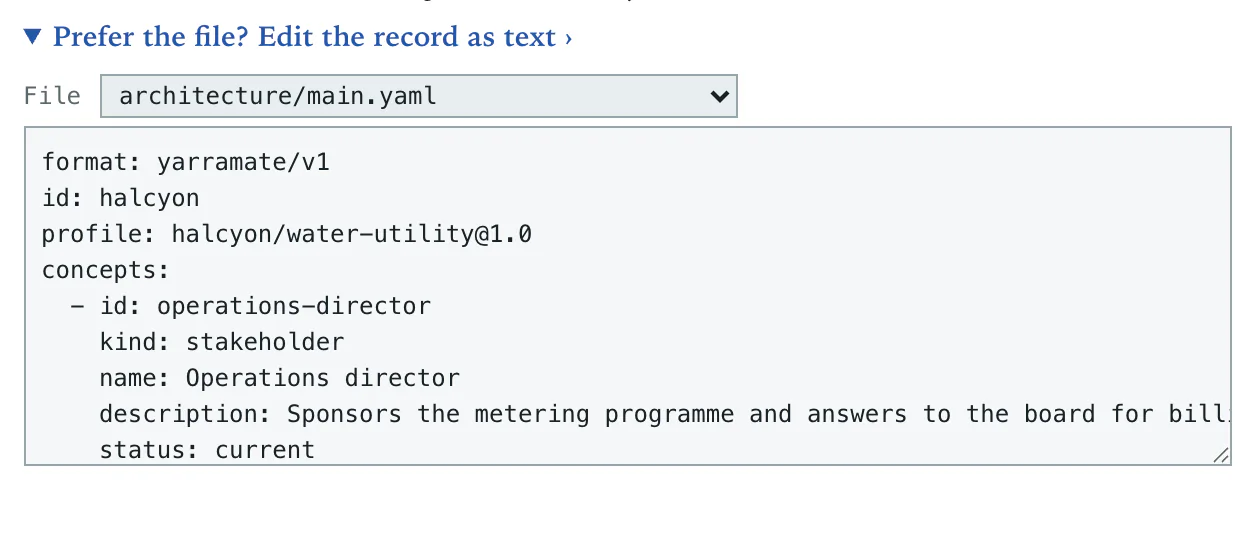
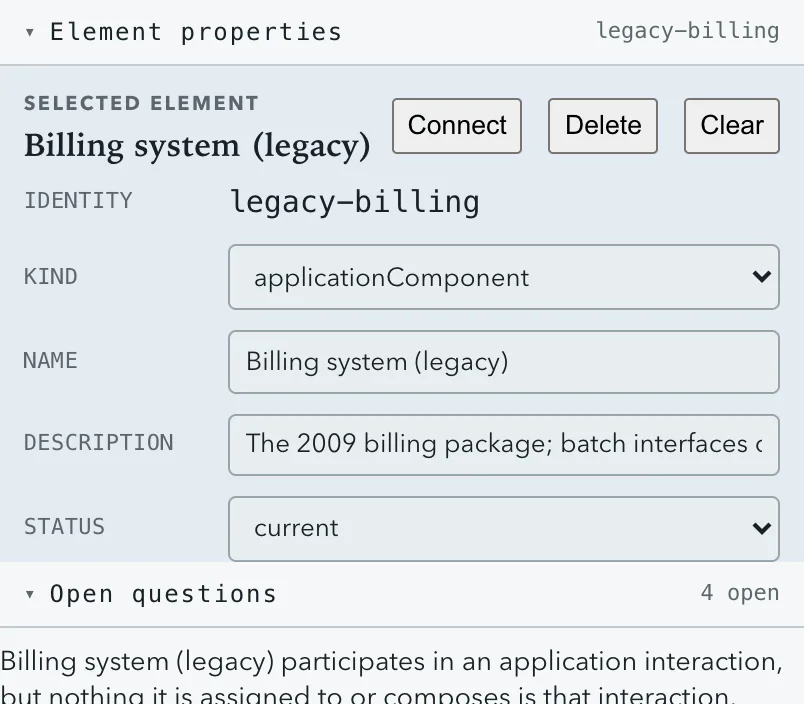
Halcyon Regional Water is fictional.
What you hand over
Four documents, generated from one record.
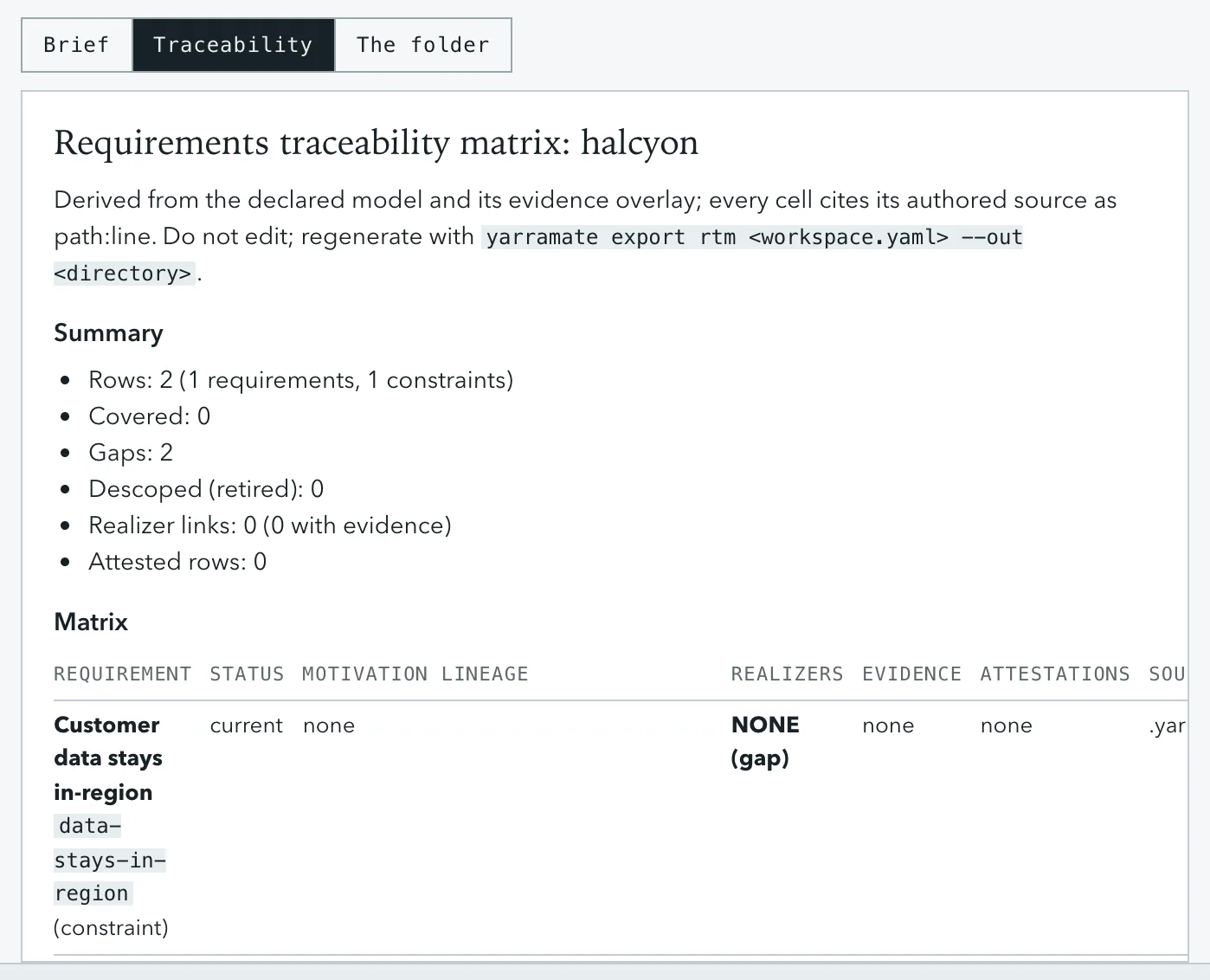
The briefs, one for every subject; the traceability matrix; the narrative, a written summary of any view; and the workbook the client's architects edit in Excel. Change the record once and regenerate all four. Every cell cites the line it came from.
Read the Halcyon brief ›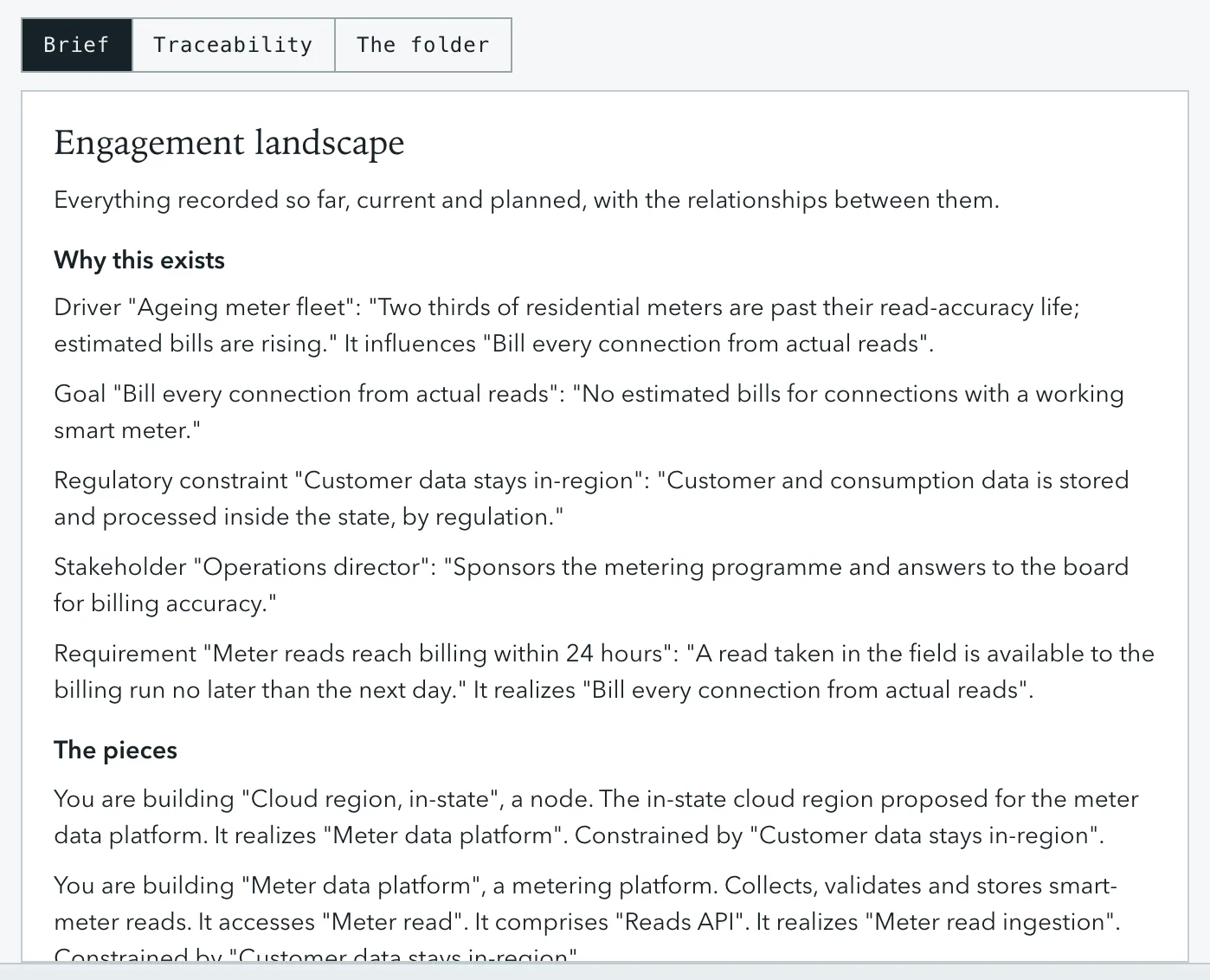
Halcyon Regional Water is fictional.
Views
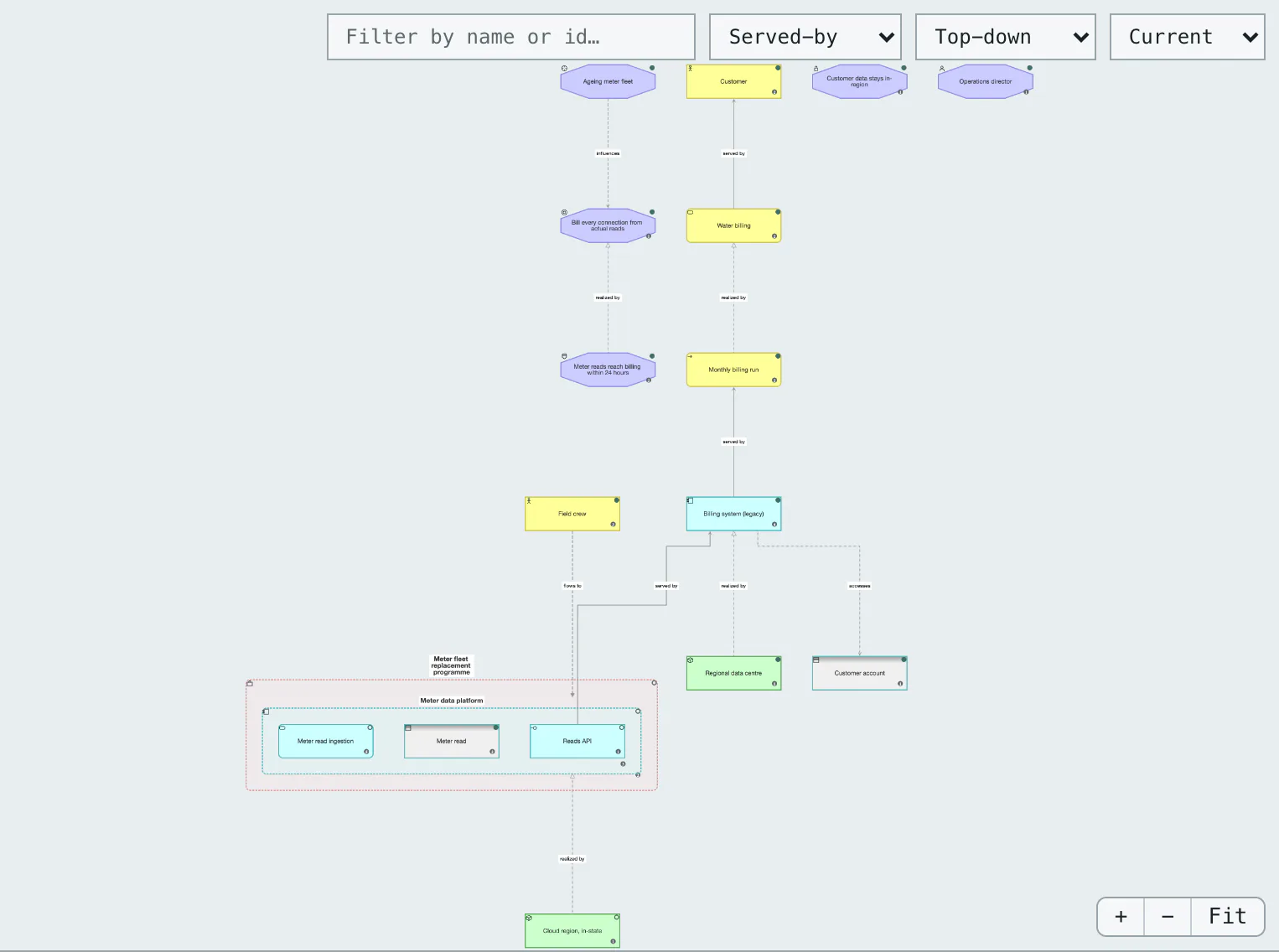
Current state, target state, and the report between them.
A view is a question the engagement had to answer: what runs today, where it is going, why it exists. Each is a query over the record, so no two views can disagree, and the change report between two states writes itself.
Switch views in the editor ›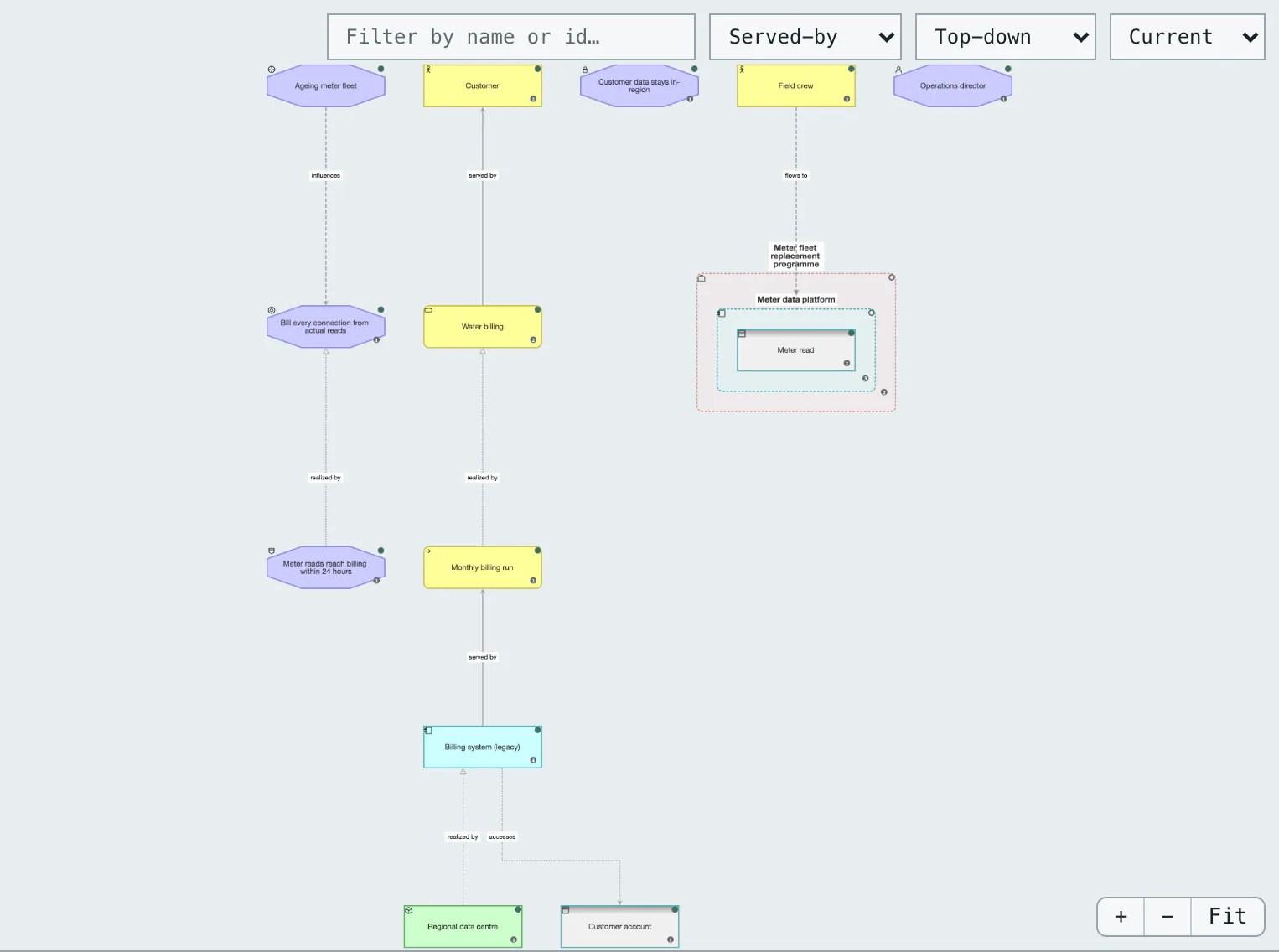
Halcyon Regional Water is fictional.
After delivery
Build to the design. Know when it slips.
Once the record lives in the repository, one check reads the code and says which statements it confirms, which it contradicts, and which files nobody has claimed. Run it on every pull request and the architecture document stops being a snapshot from the kickoff.
The one thing the browser cannot show: there is no code in a browser. The output here is real, from this project, exactly as the tool prints it.
See the worked example ›$ yarramate reconcile .yarramate/workspace.yaml --text reconciliation yarramate observations 328 confirmed 328 contradicted 0 unknown 0 not observed 0 unsupported absences 0 attestations stale 1 unconfirmed 7 expectations compared 0 without observation 0 subjects without evidence 0 artifacts in scope 166 unclaimed 0 findings 8 Findings unconfirmed attestation deterministic-correctness adequacy, by yarramate-maintainers, recorded by claude-fable-5 on 2026-08-13 .yarramate/architecture/product.yaml:84 unconfirmed attestation evidence-intent-separation adequacy, by yarramate-maintainers, recorded by claude-fable-5 on 2026-08-13 .yarramate/architecture/product.yaml:102 … five more unconfirmed attestations, the stale one on tool-neutral-core, and the coverage scope follow; elided here
yarramate's own record, checked against its own source on 14 September 2026: every one of 328 observations confirmed, none contradicted, all 166 files in scope claimed. Eight findings remain: seven sign-offs the code cannot yet confirm, and one made before the statement it signed was rewritten. That is drift, reported before anyone forgot.
Bring your agent
Works with the agent you already use, on your own machine.
YarraMate is a tool your agent calls, not a chat you log into. One line connects it; then the loop is a conversation: ask me the next question, land the answer, check it, write the documents.
Run it ›Supported today: Claude Code, Codex CLI and Cursor in the terminal or your editor, and the Claude Desktop and Codex desktop apps. Needs Node.js 22 or newer.
Through a hosted workspace: claude.ai and ChatGPT in a browser or on a phone. Those agents cannot reach files on your computer, so they reach a workspace on yarramate.dev instead, next screen.
npx yarramate init .claude mcp add yarramate -- npx -y -p yarramate yarramate-mcp
or /plugin marketplace add yarrasys/yarramate then /plugin install yarramate-architecture@yarramatecodex mcp add yarramate -- npx -y -p yarramate yarramate-mcp{ "mcpServers": { "yarramate": { "command": "npx",
"args": ["-y", "-p", "yarramate", "yarramate-mcp"] } } }Then tell the agent where the record is: every tool takes a workspace path; the desktop apps need the full path.
Keep it on yarramate.dev
Everything so far is free and stays on your machine. A workspace adds what needs a server.
Sign in to keep a record on yarramate.dev: it holds the history, shares the record with the people on the engagement, and lets any agent reach it over the network, including the ones that cannot see your files. Download it as plain files at any time; the open source tool reads the same folder.
Free: the editor, the CLI, your own agent, forever. Workspaces: A$5 per seat per month. Readers are free. The first week is free.
Sign in and keep a workspace ›Share
Invite the client's architects by email. They edit on the map, and every change is in the history with a name on it.
Connect your agent
The workspace is an MCP server. Add it to claude.ai or ChatGPT as a connector, or to Claude Code, Codex and Cursor, and the same tools are there, less the check against code, which needs the code.
An illustration: the rows are examples. Halcyon Regional Water and Northgate Council are fictional.
Your firm's method travels with it
The questions your best people ask, packaged so a first-year consultant runs the same engagement.
Your practice's names for things, the building blocks you expect to find, and your interview questions are three small files in the folder. Every engagement starts from them. The Halcyon folder ships its set.
Client security, in one screen
- Where does it run?
- On the consultant's machine, or in the client's pipeline. A hosted workspace is opt-in.
- Is there an AI model inside?
- No. Your own agent may read and write the record; the tool itself is deterministic.
- What leaves the repository?
- Nothing, unless you sign in and keep a workspace. The record is plain files beside the code.
- Who approves a change?
- Whoever merges it in git. The governance the client already has.
Open the editor. Then run it on your next engagement.
Five minutes on the fictional client, then the interview on a system you know, or your agent reading its code. Hold the record by Friday.
In use, and be straight about the fit
A consulting product runs the engine and the editor in production today, with consultants on real client work. Earns its cost when the engagement outlives one consultant, when the client will ask you to prove a claim, or when requirements must trace to code. Unnecessary when a short, current design document already does the job.
Early software. The vocabulary takes a day. The visual editor is new and still being polished from field use.